
Intro
Airport gate G12. Coffee cooling. Wi‑Fi blinking.
Between departure boards and deadline pings, I open Odoo - not my suitcase.
Here, in the hush before takeoff, let me show you a faster path: build quotes that read like stories, create contacts without typos, and ship a PDF so clean it could pass any check. Quotes aren’t paperwork; they’re promises with a price tag.
Everything is set - fasten your seatbelts, and let’s dive into business.
Why you should read this
I used to send long, plain quotes. They looked safe, but they didn’t move anyone. Replies were slow. Follow-ups dragged on. Deals lost momentum.
One day, I attempted a brief 15 - minute setup in Odoo. I turned the quote into a simple story, auto‑filled the client’s details with "Odoo GUS Integration", and kept the PDF clean. The next quote felt clear. Approvals came faster. It wasn’t magic - just better structure and fewer mistakes.
I’m writing this because many teams still do what I did: copy old PDFs, retype company data, and hope for the best. You don’t need a big change. You need a simple system you can repeat on every quote.
My goal for you: stop sending boring quotes and start closing faster - today. Use the steps below, make one small improvement at a time, and ship.
What we’ll cover
- GUS NIP Integration: create/verify the customer with one NIP, no typos
- A clear Quotation Builder flow (sections, optional items, quick acceptance)
- A clean PDF that looks right everywhere
Contacts - Every negotiation starts here
Before any numbers, there’s a name. A misspelled company or a wrong Tax ID(NIP) can drain trust faster than a discount can fix it. Clean contact data says: we’re careful, we’re ready, and your quote will be correct the first time. It also saves your team from rework and keeps finance smiling.
A little help from automation:
With our "Odoo GUS NIP Integration" , paste the "NIP"(Polish Tax ID) and let Odoo pull the official company name and address from GUS REGON API. It prevents typos, speeds up creation, and helps avoid duplicates (same NIP = same company).
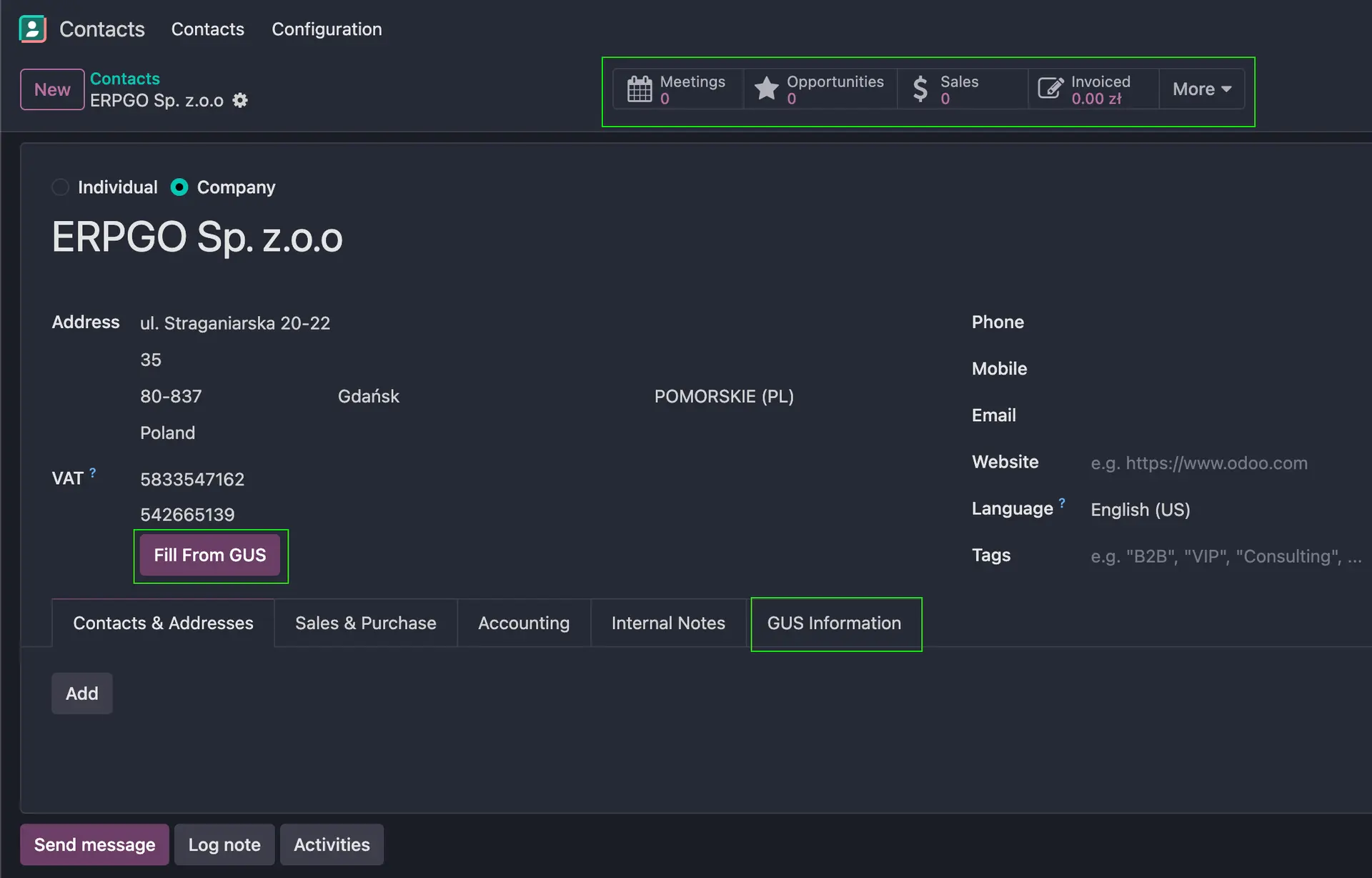
Convert your Contact into an Opportunity
Why this step matters
A contact is a record. An opportunity is a conversation with a goal, a value, and a next step. Moving to Opportunity gives you a pipeline, dates, and ownership - so nothing slips.
Goal for this step
Turn a clean company/contact into a tracked deal with: title, value, decision-makers, and a scheduled next activity.
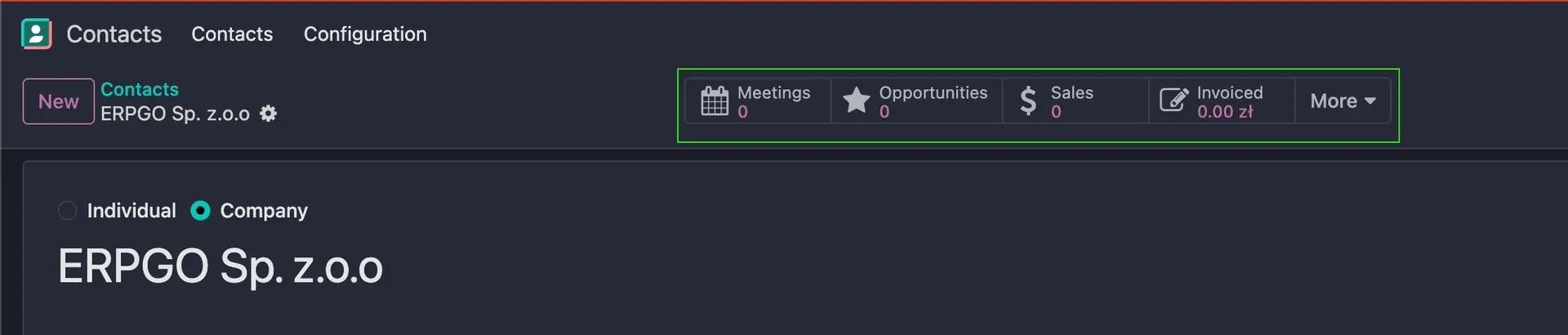
In Odoo, almost every "view" has this useful navigation on the top bar.
As you see we don't have any "Opportunity" for this client. Let's fix this. Go to "Opportunities" > then press "New" > and "Add".
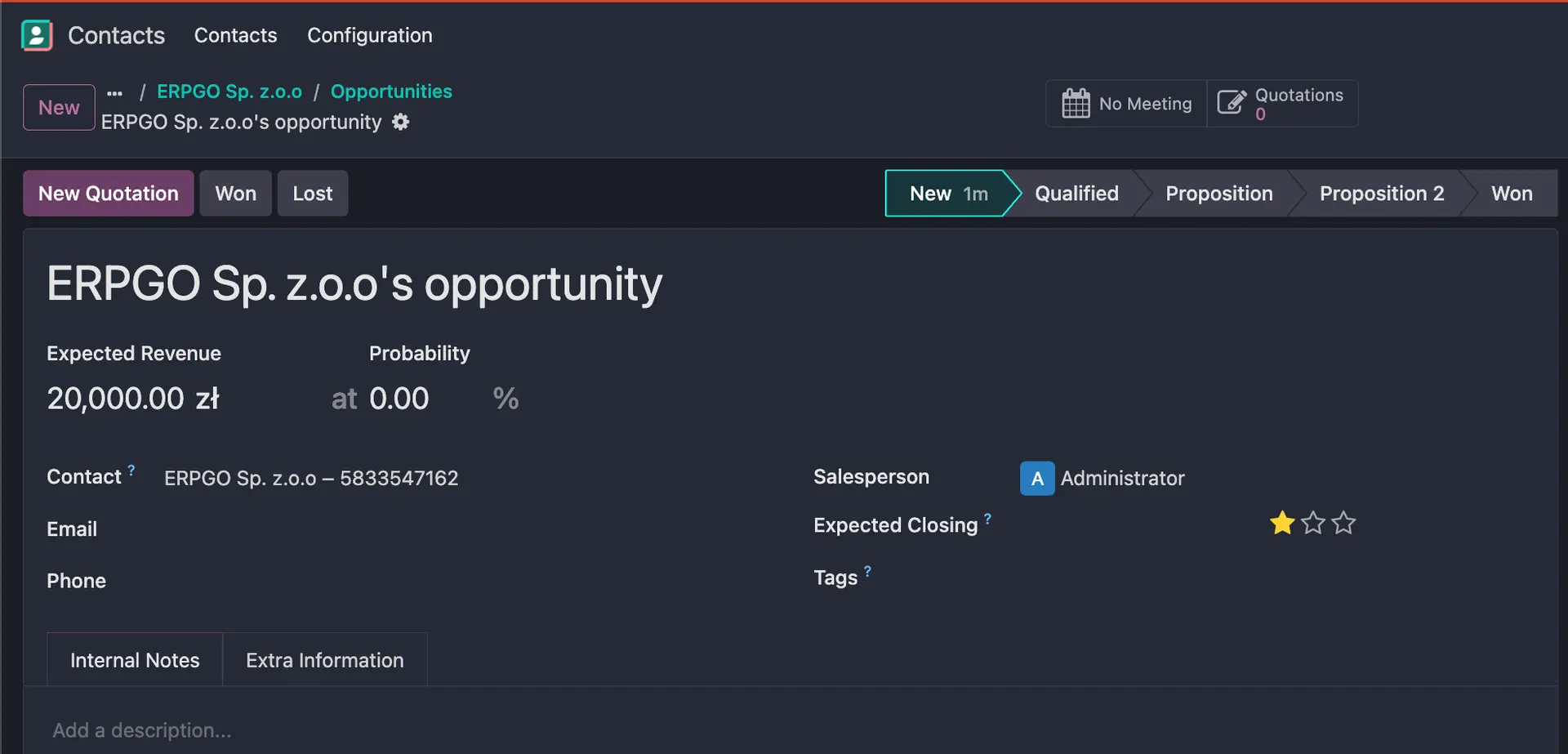
From Opportunity to Quote
You’ve opened the door to an opportunity. Now turn that interest into a clear, easy-to-accept offer. Since your contact information is already clean (thanks to NIP verification), you can focus on structure - not correcting names and addresses.
PDF quote builder - what “good” looks like
Your quote is the message; the PDF is the suit. In Odoo, you can dress it once and reuse it forever.
Start by adding your brand PDF Form(I used Libre Office)as a Header or a Footer.
Go to Sales → Configuration → Headers/Footers and upload your file. Mark it as Header or Footer, and if you want, tie it to specific Quotation Templates so the right look shows up every time.
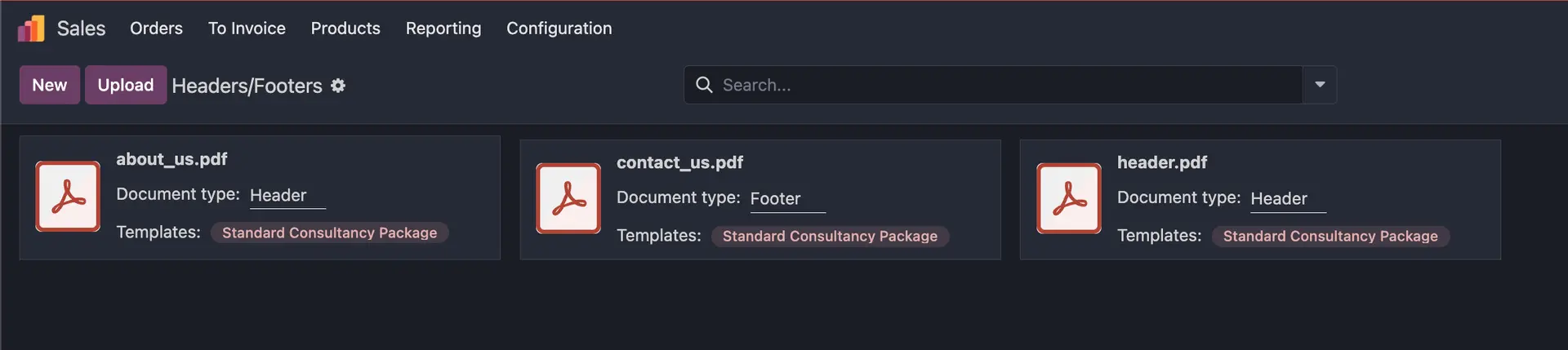
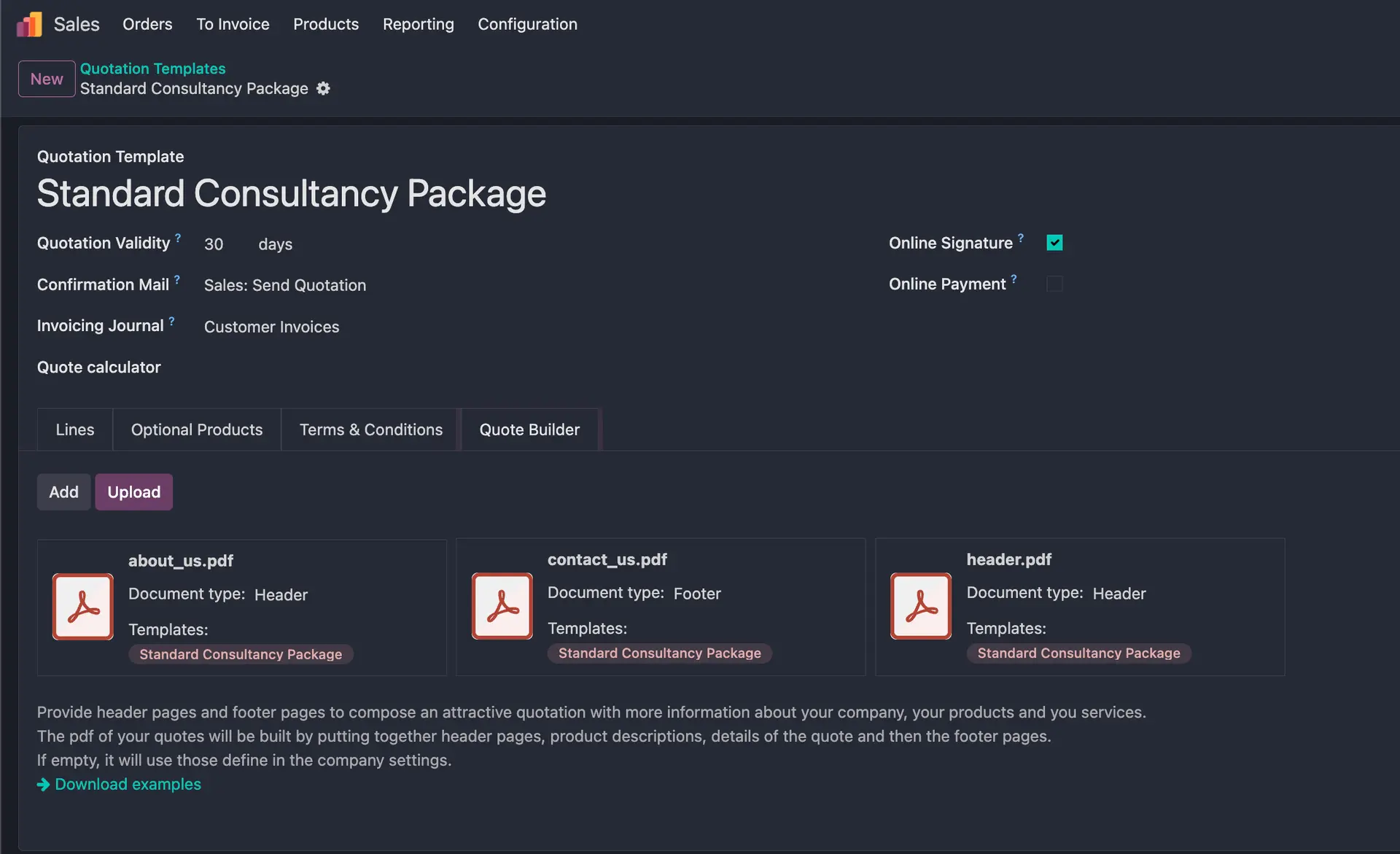
Now make it smart. Turn on "Dynamic Text" so Odoo fills in real customer name, quote number, dates, prices - right on top of your design. You don’t hard-code anything; Odoo pulls it from the quote when you generate the PDF Form. The result: a clean, branded document that stays accurate without manual edits.
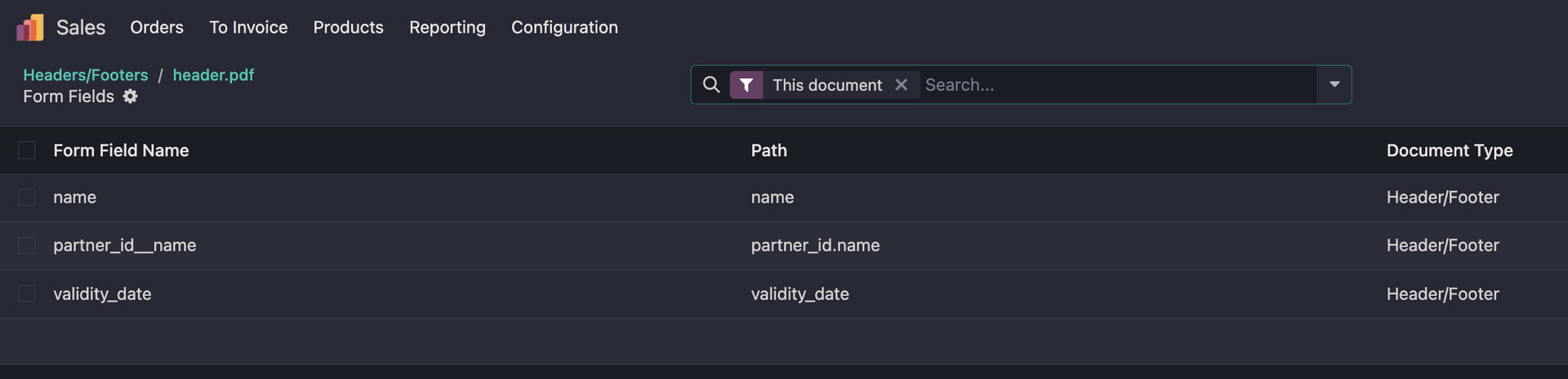
Put it all together
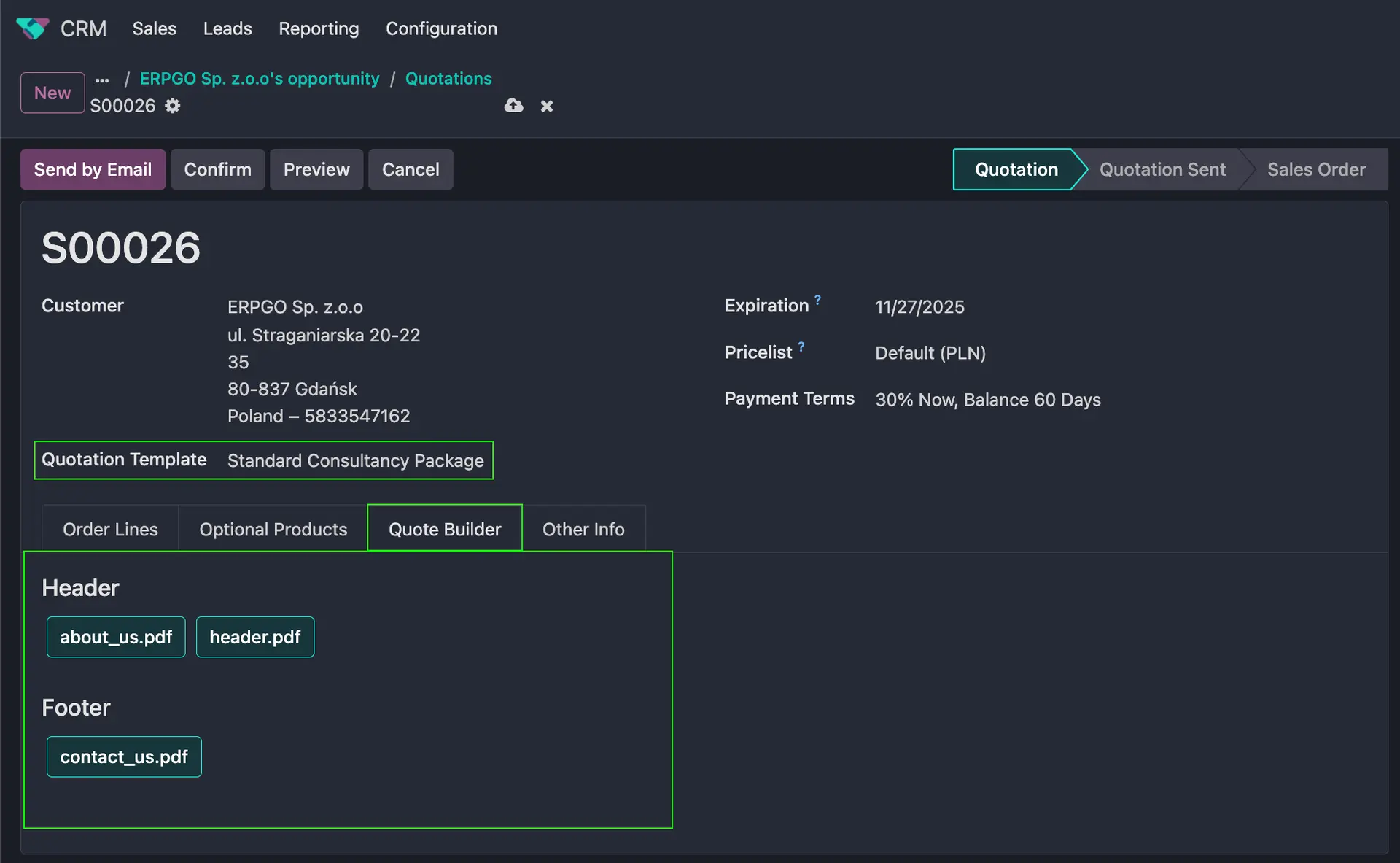
You’ve done the hard part already: clean contact, real opportunity, clear scope. Now open the Quote Builder tab and make the quote feel like your brand.
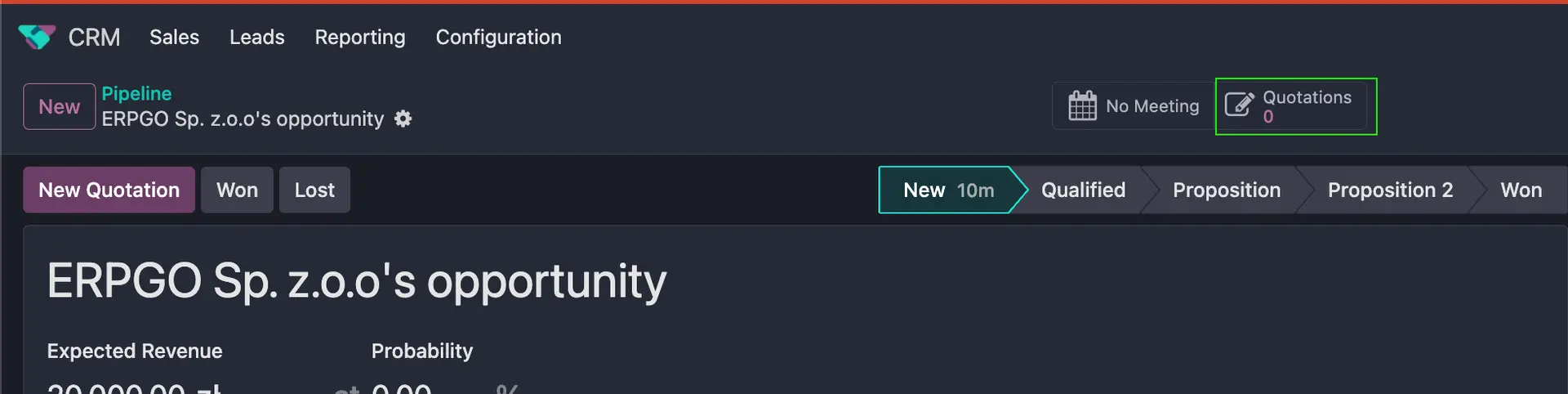
Pick your Quotation Template, then drop in the Header and Footer PDFs you want for this deal (About us at the top, Contact info at the bottom works great). Because dynamic text is on, Odoo fills the customer name, dates, and totals right on top of your design.
Next up: sending the quotation — the email that gets opened, the portal link that converts, and the tiny nudge that closes the loop.
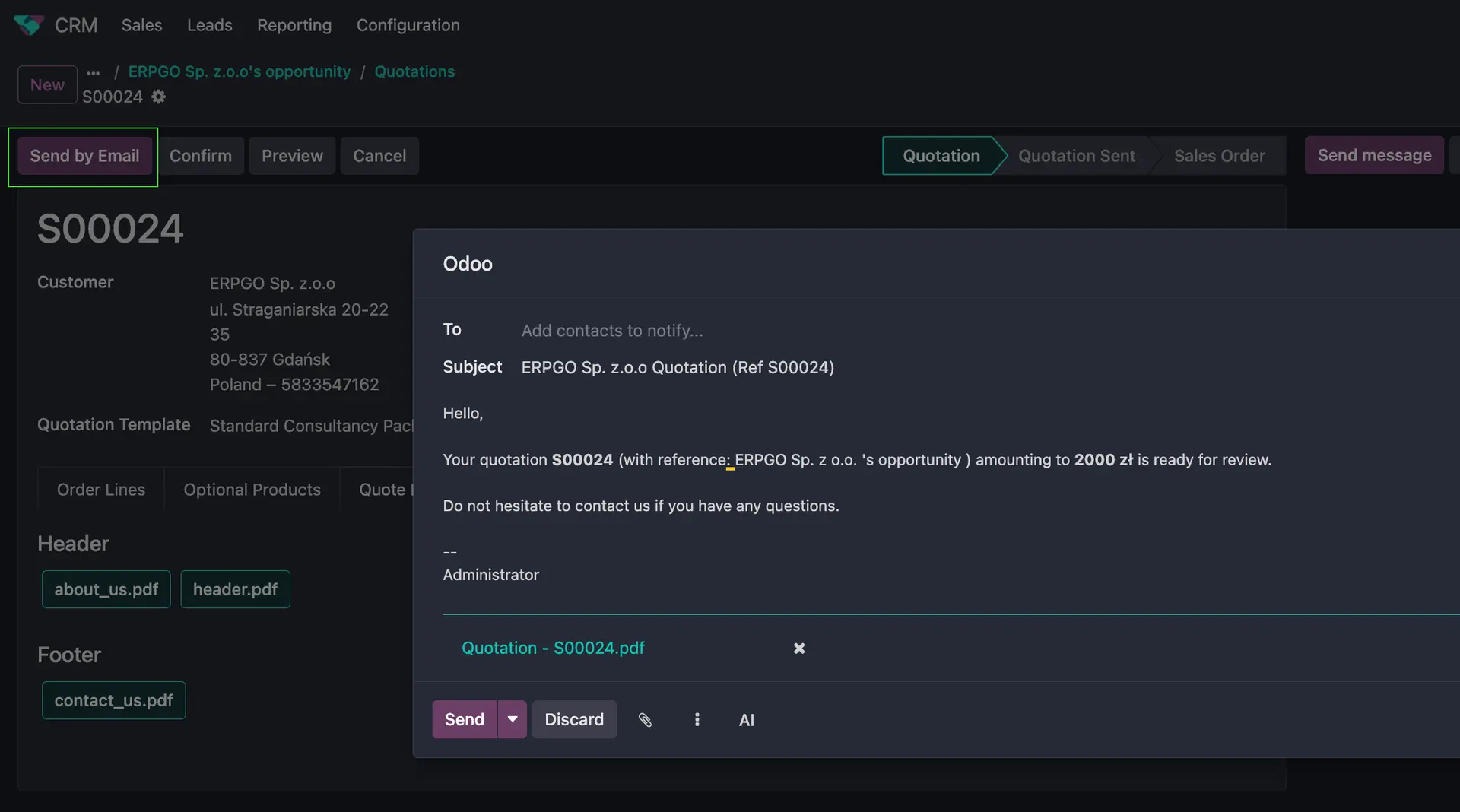
That's it!
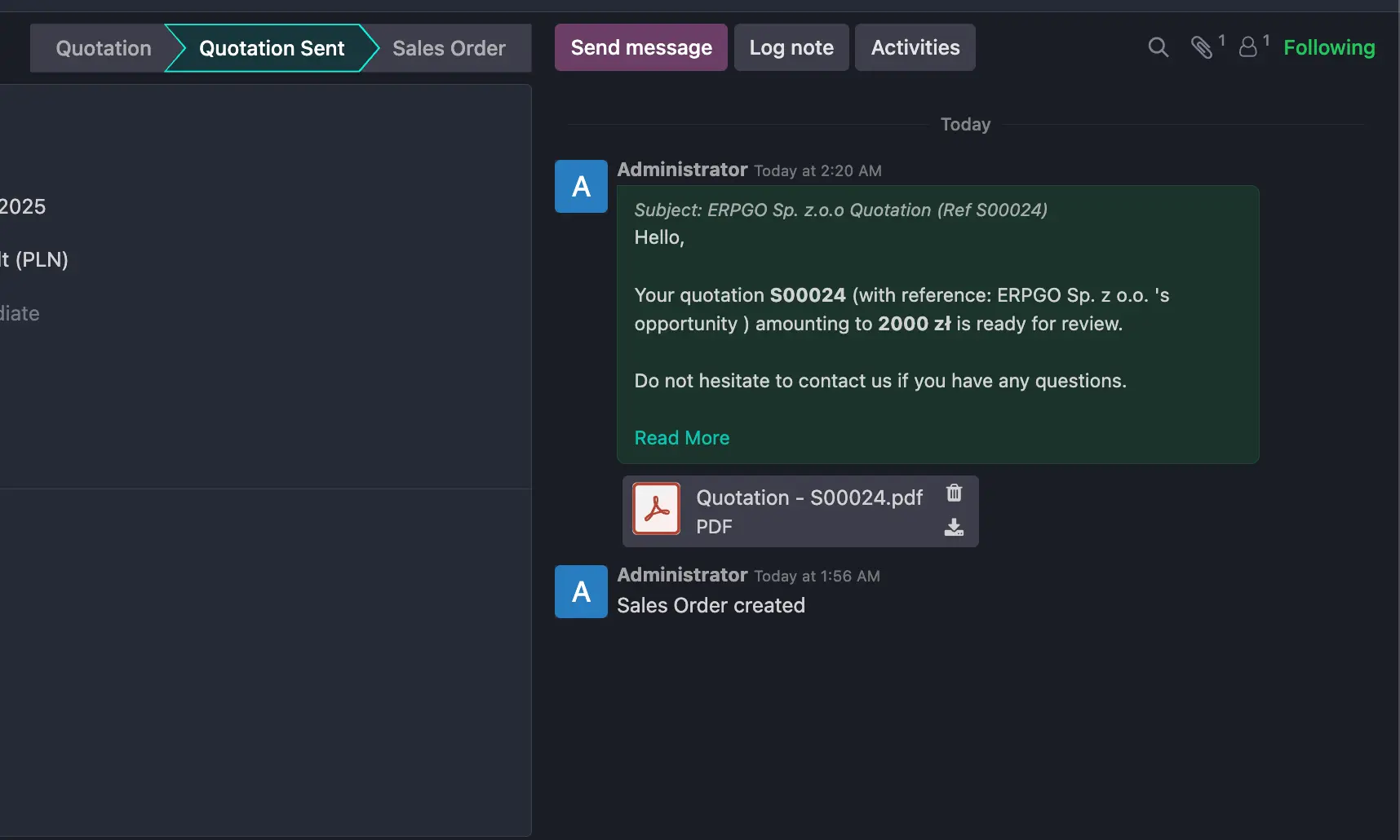
That’s the whole engine: template + header/footer + dynamic text. You’re adapting a proven structure, not rebuilding it. The result is a quote that looks intentional, reads fast, and is ready to be accepted.
Stay connected for fresh ideas ;)